1. Installation
This tutorial walks through installing the DataFlex TechStack step by step.
Step 1 — Download TechStack (27.0 Technology Preview)
Open the DataFlex Download Center at download.dataflex.dev and locate TechStack — the download that carries the new runtime and technology foundation for DataFlex applications.
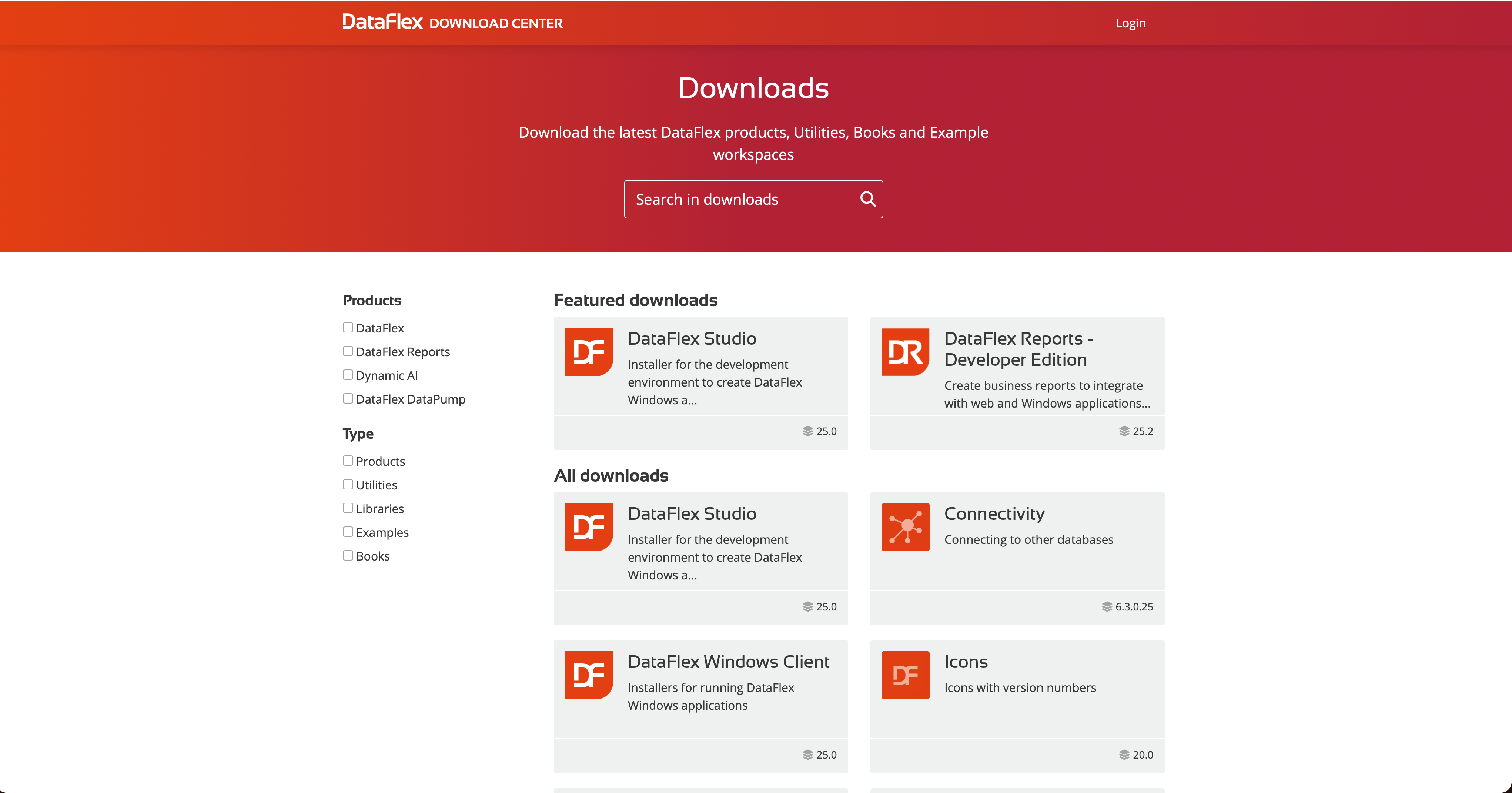
During the Technology Preview phase, TechStack is a separate download from DataFlex Studio and new previews are released regularly; once DataFlex 2027 reaches Alpha, TechStack joins the regular DataFlex pre-release cycle and is included in the DataFlex Studio download section.
Get the latest preview from the TechStack download page — at the time of writing, 27.0 Technology Preview 1 (337 MB).
Step 2 — Run the installer
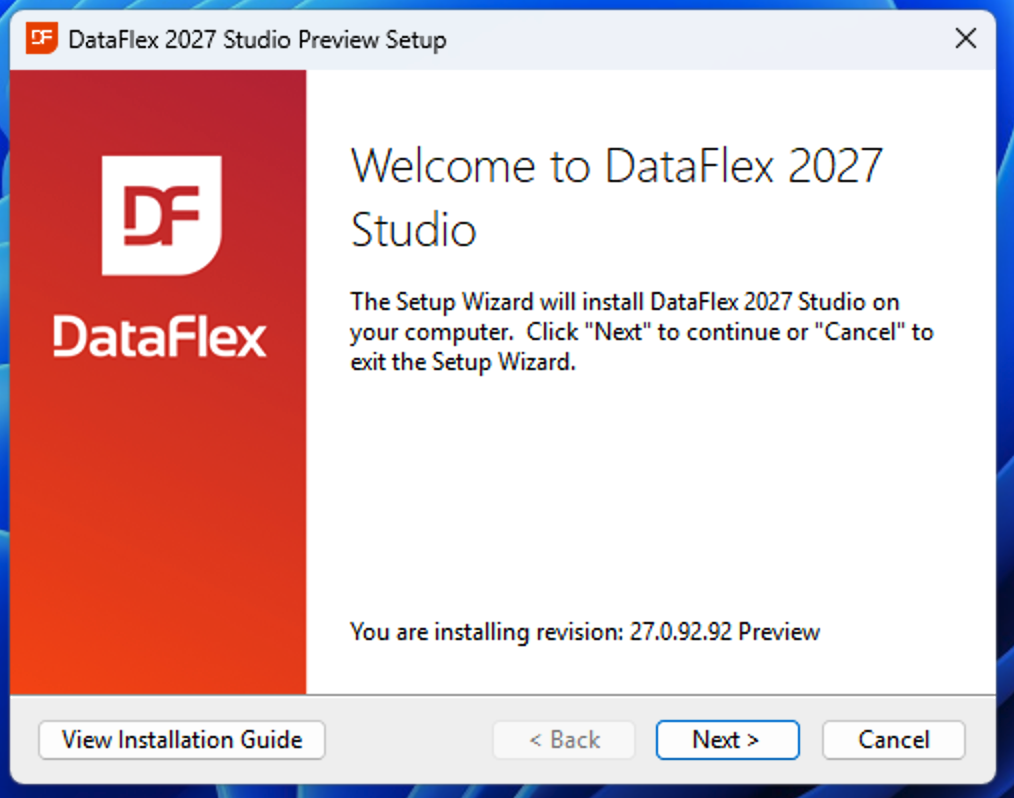
Run the downloaded installer and follow the Setup Wizard. The TechStack preview installs DataFlex 2027 Studio together with the TechStack toolchains. On the welcome screen, confirm the Preview revision you are installing, then click Next.
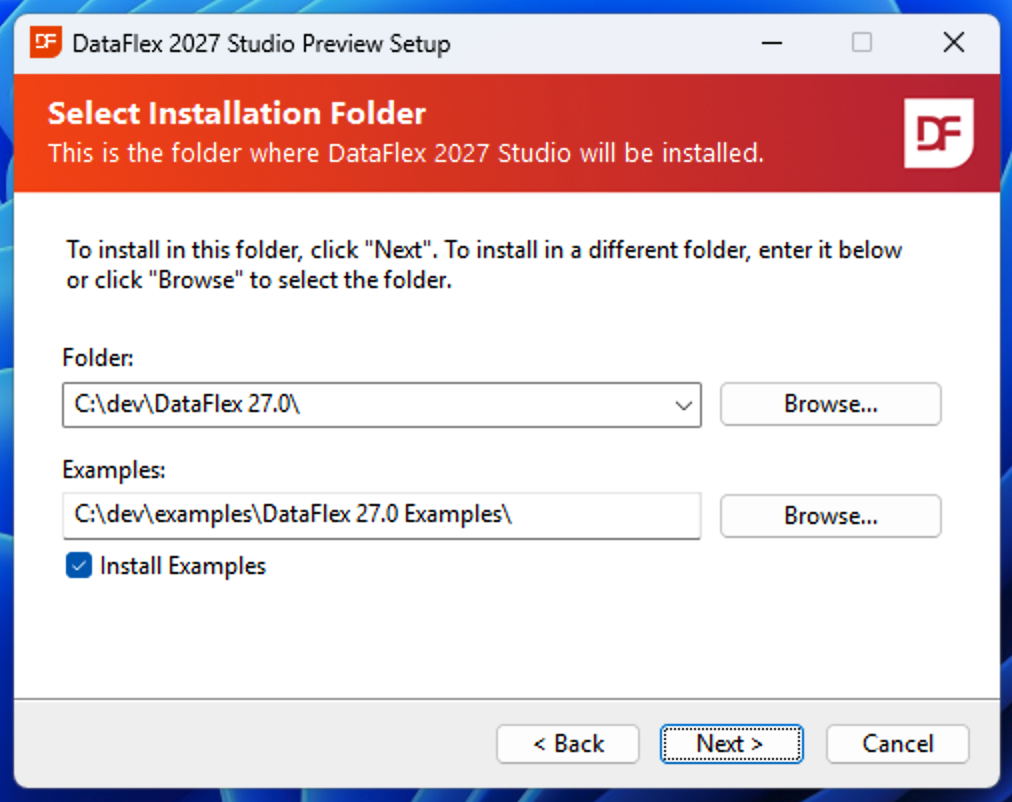
On the Select Installation Folder screen, keep the default install Folder unless you have a reason to change it.
For the Examples folder, install to a non–user-bound directory such as C:\dev (for example C:\dev\examples\DataFlex 27.0 Examples\) rather than a location under your user profile, so the samples avoid permission issues. Keep Install Examples checked, then click Next.
Step 3 — Open the Studio and run a sample
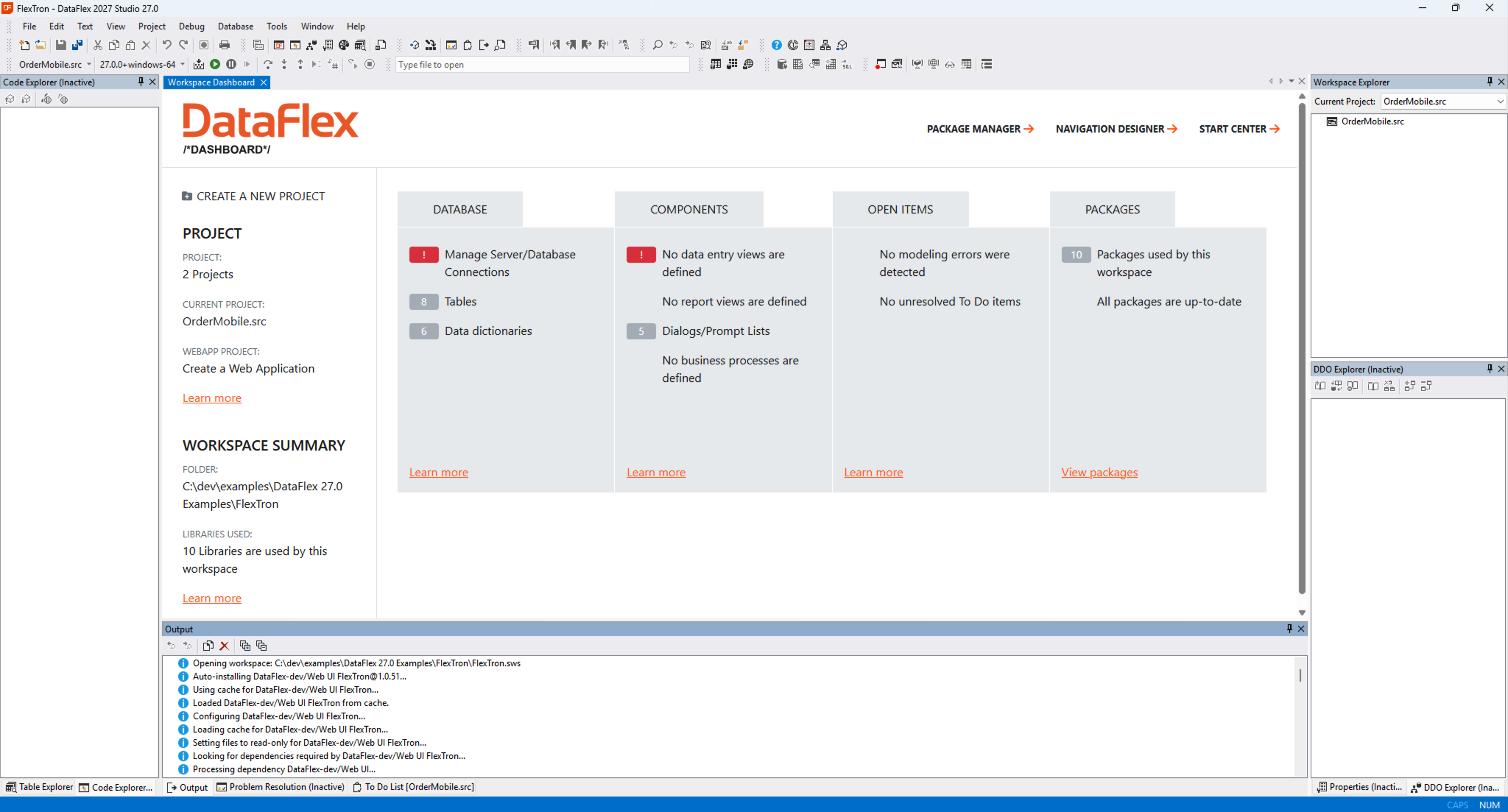
When installation finishes, the Studio opens automatically (via the installer's checkbox). If you have used the DataFlex Studio before, the environment will look familiar. All installed samples work out of the box.
Open a sample — for example FlexTron. The first time you open a sample, an internet connection may be required: the Studio uses the built-in DataFlex Package Manager to pull the sample's dependencies. You can follow this and other activity in the Output panel at the bottom of the screen.
For more on the package manager and build system, see DfCli Usage.
Step 4 — Next: toolchains
DataFlex is installed and you can start developing. Before building your own projects, continue with a short introduction to toolchains.
Next: 2. Toolchains.